Run Your Restaurant From One Smart POS

Fast tills, a live kitchen, and a back office that tells you what to do next.

  • icon Keeps selling, even when the internet is down.
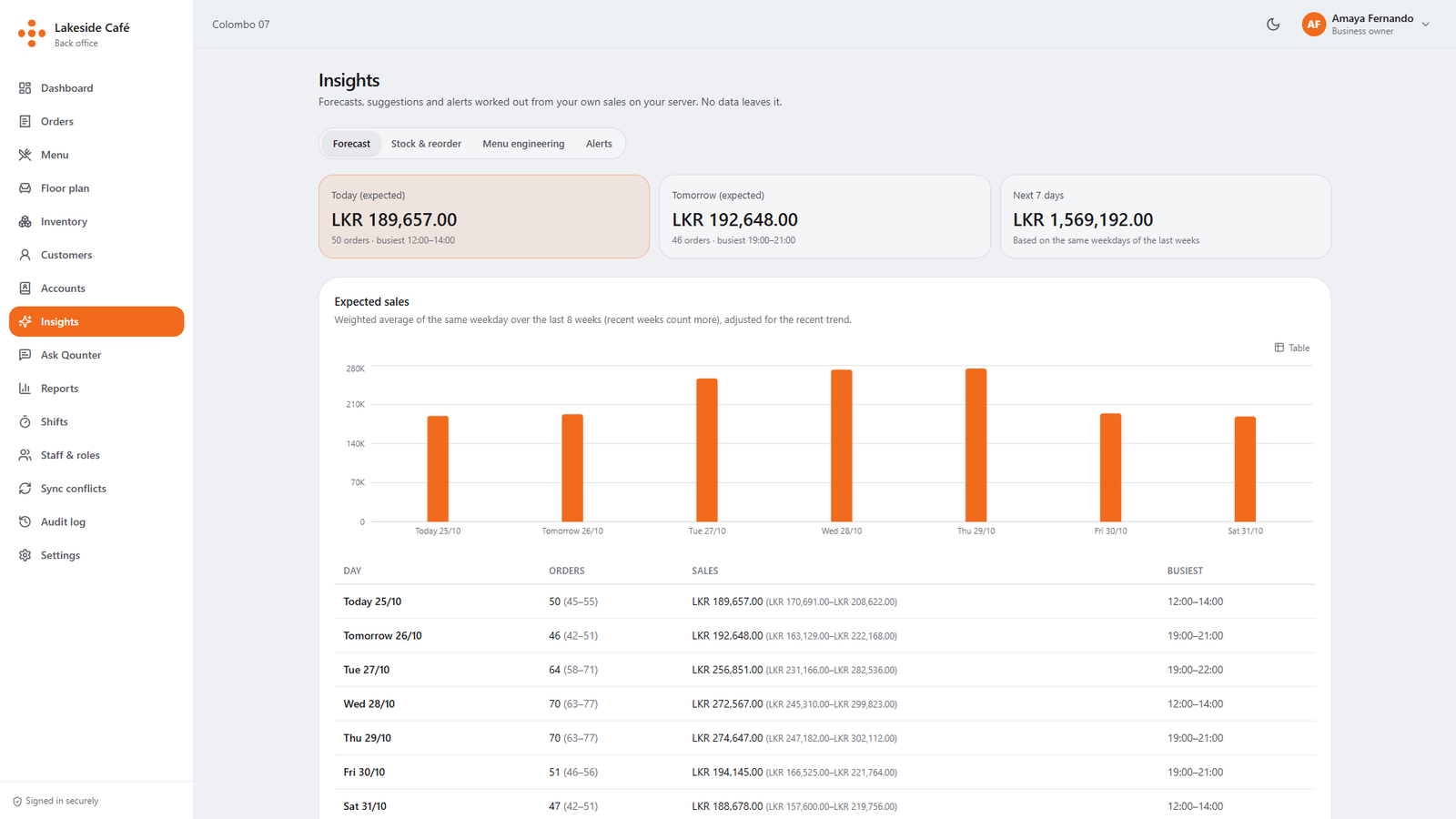
  • icon AI morning brief and sales forecasts.
badge

Built for Busy Restaurants & Cafés

image
  • 🔔 Kitchen alerts
  • ⏰ Live sales
frame image

Everything Your Counter Needs

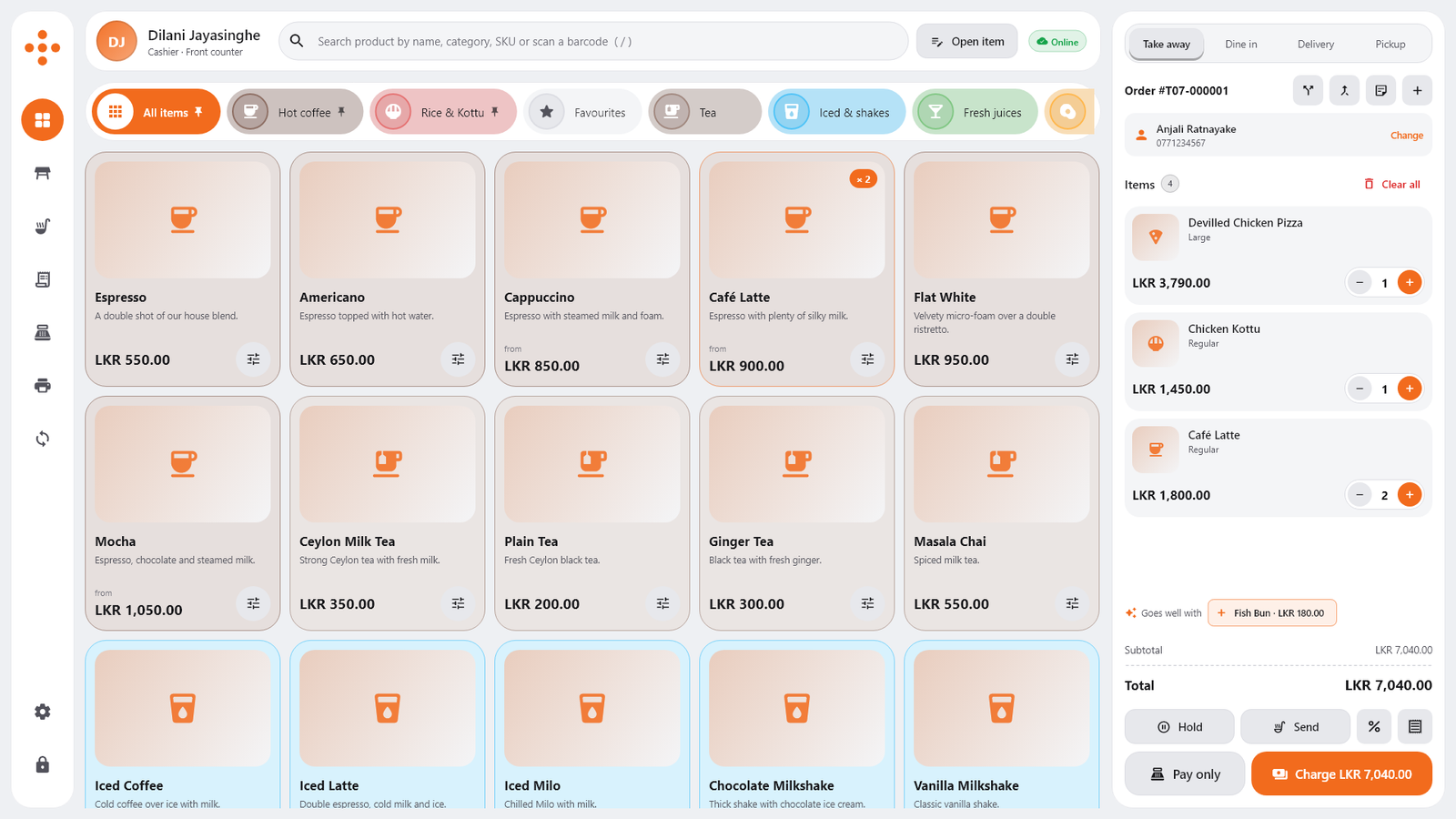
Fast Touch Selling

Fast Touch Selling

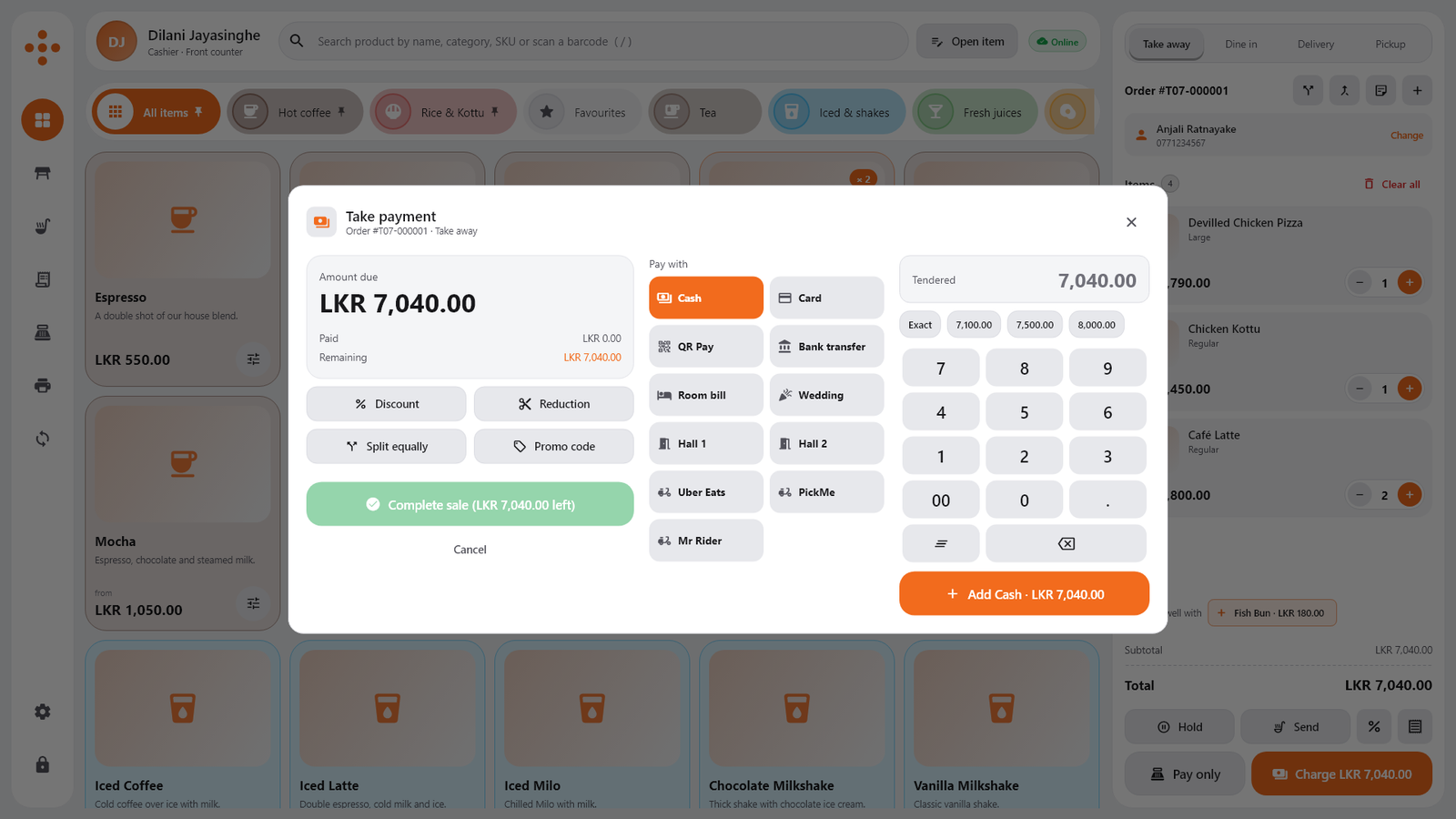
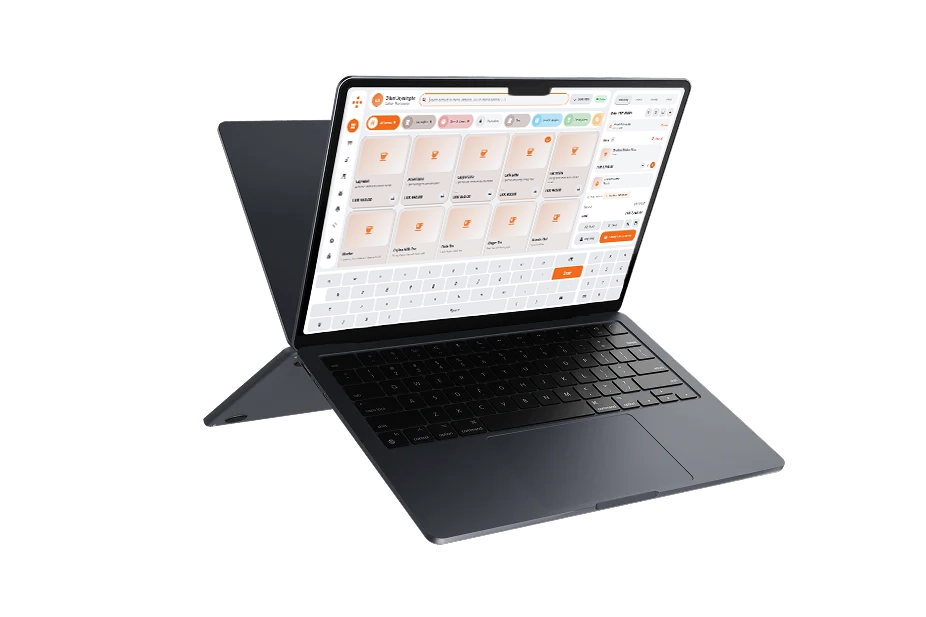
Big item tiles, sizes and toppings in one tap, split bills, and an on-screen keyboard made for touch screens.

Fast Touch Selling
line graphic
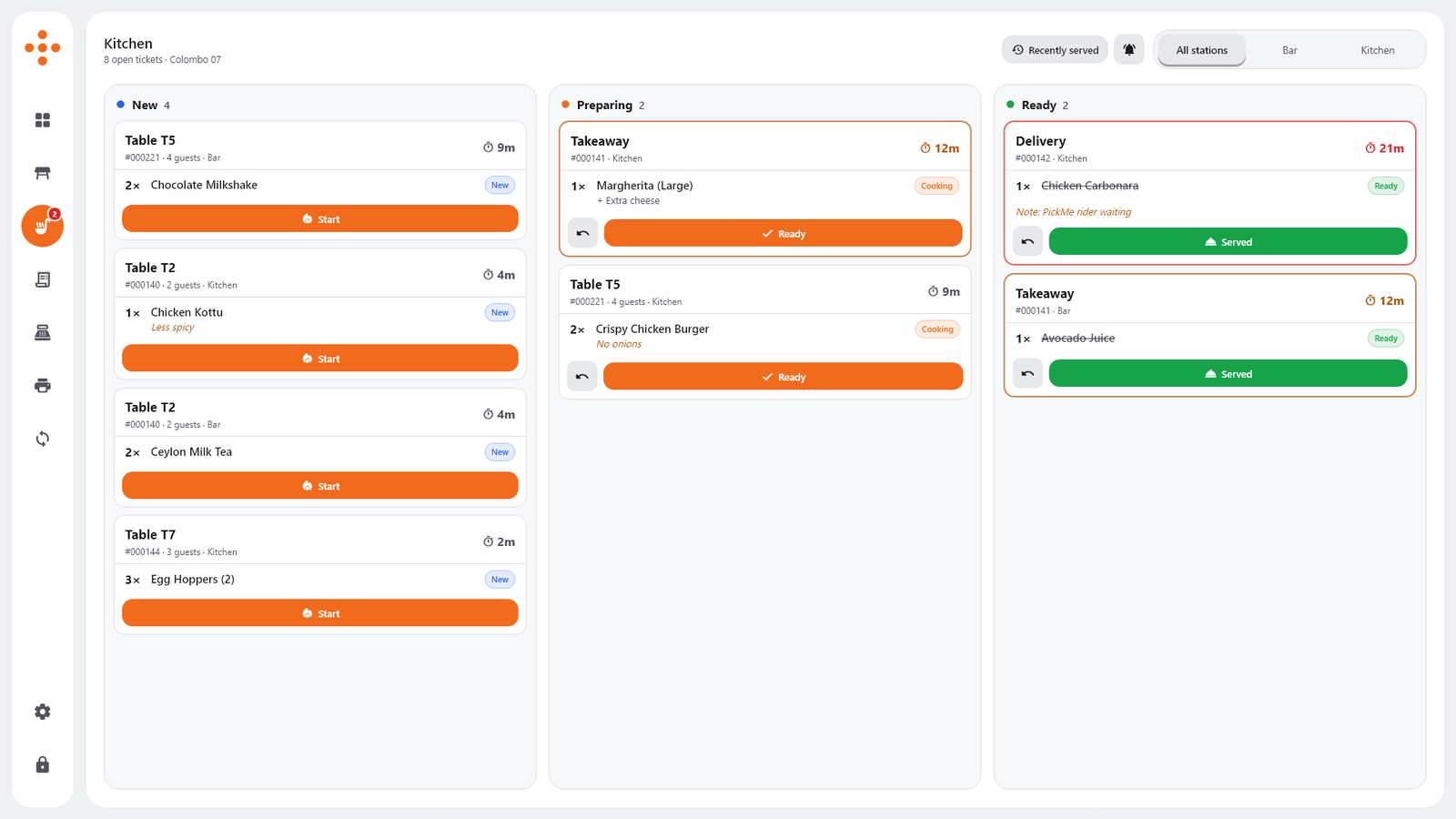
Live Kitchen Display

Live Kitchen Display

Orders reach the kitchen instantly. New, Preparing and Ready lanes with timers, plus compact kitchen tickets that save paper.

Live Kitchen Display
line graphic
Works Offline

Works Offline

The till keeps selling when the internet drops and syncs every bill safely the moment it is back. No lost sales.

Works Offline
line graphic
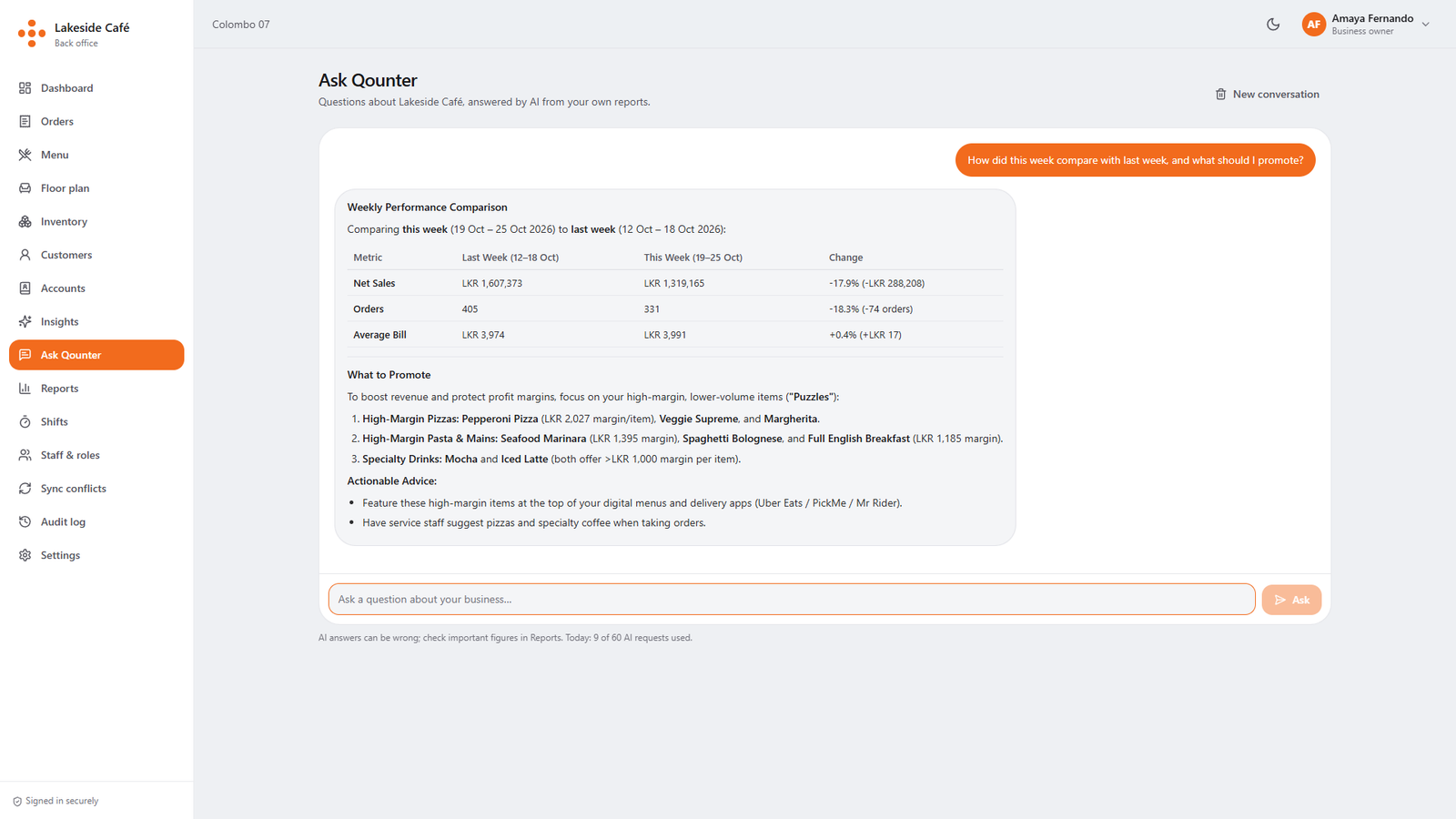
AI Business Assistant

AI Business Assistant

A morning brief on yesterday's sales, and answers to questions like "What should I promote this week?"

AI Business Assistant
line graphic
Smart Insights

Smart Insights

Sales forecasts, stock that's about to run out, your best and worst items, and alerts on unusual discounts or voids.

Smart Insights
line graphic
rotate line decoration

Works With What You Already Use

subtract graphic

Why Restaurants Choose Qounter

frame
frame
frame
frame
icon

Never Stops Selling

Every till keeps working offline and syncs safely, so a bad connection never stops a sale.

icon

All-In-One System

Tills, kitchen, inventory, customers, reports and AI in one place, with no extra apps to juggle.

icon

Your Language

Use the whole system in English, Sinhala or Tamil, and show your menu in any language.

icon

Cash Under Control

Shifts, opening floats, cash in and out, and manager PIN for refunds and reductions.

icon

AI That Helps You Decide

Forecasts, what to prepare, what to reorder, and which items to promote, worked out from your own sales.

icon

Secure & Scalable

Roles and permissions, an audit log of every change, and room to grow from one till to many branches.

Stories From The Frontline

frame
frame

10+

Sastik helped our team save nearly 10 hours in month.

“With all task updates, priorities, and deadlines in one place, we no longer waste time searching and can see what needs to be done.”

avatar

Mark Reynolds

Project Manager at afriex

quote icon

25%

We cut planning time by about 25% this month.

“Weekly planning took hours. With Sastik, tasks are organized, prioritized, and easy to review, letting us focus on what matters.”

avatar

Olivia Bennett

Founder, Cellulant Agency

quote icon

20+

Tasks managed effortlessly from the first month

“Managing 20+ tasks used to be stressful. With Sastik, everything is organized, priorities are clear, and work gets done smoothly.”

avatar

Rowan Blackwell

Chief Product Officer at Context

quote icon

2X

We’ve doubled our output with Sastik.

“Previously, tasks were scattered and slow. With Sastik, they’re organized, prioritized, and we accomplish twice as much.”

avatar

Mia Thompson

Interaction Designer at onborard

quote icon

$50,000+

We saved over $50,000 this year thanks to Sastik.

“Before Sastik, tasks were costly and frustrating. Now we work efficiently, save time and money, and focus on long-term growth.”

avatar

Henry Scott

Support Lead at Kobopay

quote icon

15–25

Managing 15–25 tasks daily used to feel overwhelming.

“With Sastik, our team’s work is fully organized in one place. Tasks are simple to track, priorities clear, and deadlines never slip.”

avatar

James Lewis

Growth Manager, erobotics

quote icon

Simple Plans For Every Restaurant

Save 20% <br> Yearly

frame
frame line
10 user

Starter

$25

per month

best plan

Efficient task management for individuals and small teams, with flexible monthly plans included.

Benefits:
  • icon Up to 5 projects
  • icon Unlimited tasks
  • icon Basic task automation
  • icon Standard deadline reminders
  • icon Essential reports & insights
multiple user

Premium Plan

$45

per month

bonus best plan

Efficient task management for individuals and small teams, with flexible monthly plans included.

Benefits:
  • icon Up to 5 projects
  • icon Unlimited tasks
  • icon Basic task automation
  • icon Standard deadline reminders
  • icon Essential reports & insights
Popular
Plan
10 user

Starter

$240

per year

best plan

Efficient task management for individuals and small teams, with flexible monthly plans included.

Benefits:
  • icon Up to 5 projects
  • icon Unlimited tasks
  • icon Basic task automation
  • icon Standard deadline reminders
  • icon Essential reports & insights
multiple user

Premium Plan

$450

per year

bonus best plan

Efficient task management for individuals and small teams, with flexible monthly plans included.

Benefits:
  • icon Up to 5 projects
  • icon Unlimited tasks
  • icon Basic task automation
  • icon Standard deadline reminders
  • icon Essential reports & insights
Popular <br> Plan

Other POS Systems Vs Qounter

frame
frame line
frame line

Other POS systems

  • icon Stop working when the internet goes down.

  • icon Separate apps for tills, kitchen and stock.
  • icon Reports you have to work out yourself.
  • icon English only.
  • icon Limited control over cash and discounts.
  • icon Support from far away.
logo
  • icon Keep selling offline and sync safely later.
  • icon Tills, kitchen, inventory and reports in one system.
  • icon AI brief, forecasts and clear suggestions every day.
  • icon English, Sinhala and Tamil, with your menu in any language.
  • icon Shifts, manager PINs and an audit log of every change.
  • icon Local support from the team that builds it.

Frequently Asked Questions

Still can’t find the answer here? Contact our support team.

  • Can I try Qounter before I buy?

    Yes. We set up a free demo with a sample menu and real-looking sales, so you can ring up orders, take payments, see the kitchen display and explore the reports and AI features. When you're ready, we help you load your own menu, even from a photo of it.

  • What happens if the internet goes down?

    Your tills keep working. Orders, payments, refunds and shifts are saved on the till and sent to the server automatically when the connection comes back, with every bill stored exactly once.

  • What hardware do I need?

    A Windows PC or touch-screen terminal for each till, a thermal receipt printer, and optionally a kitchen printer, cash drawer, barcode scanner and a second screen for customers. The back office runs in any web browser, on a laptop, tablet or phone.

  • Can I use Qounter in Sinhala or Tamil?

    Yes. Each till and each browser can use English, Sinhala or Tamil. You can also translate your menu into any language and show it on the customer display. Receipts are printed in English.

  • Is my data safe?

    Every staff member signs in with their own PIN and only sees what their role allows. Every change is recorded in the audit log. Refunds and reductions need a manager's PIN. Your data stays on our cloud server or on your own server, and AI features never send your customers' names or phone numbers.

  • 🧑💻 Sell Faster
  • 🚀 Reports & Insights
  • ✨ AI Assistant
mockup image